MIS Support
We know everyone works differently, so we’ve made it easy for you to reach us in the way that suits you best. There are several flexible support options available, and you can simply choose the one that’s most convenient for you.
Customer contact options
Live chat @ https://my.schoolicts.co.uk/
Customer Portal @ https://my.schoolicts.co.uk/
Our customer portals allow you to
- Log and track tickets
- Watch webinars
- Search Knowledge base for information
- Latest news
Call: 0345 222 6802 Option 1 for MIS support *please leave voicemail where lines are busy during peak periods. Leaving a voicemail automatically creates a ticket for you.
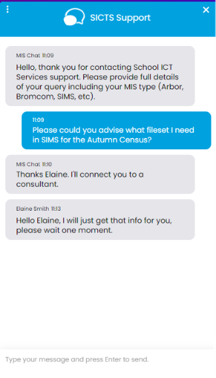
Please remember that you can request support in various different ways, by requesting support via Live chat:
Key Benefits of Our Live Chat:
- Instant Support: Get your questions answered in real-time by our knowledgeable support consultants.
- Expert Assistance: Our live chat is staffed by real people, ready to provide you with personalised support.
- Convenience: Access live assistance directly from our website, without the need for phone calls or emails.
- Efficiency: Resolve issues faster with immediate responses and quick solutions.
To start using Live Chat, simply visit our customer portal, log in and click on the chat icon at the bottom right corner. Our team is ready and eager to assist you with any enquiries or support you may need.
Customers can also log tickets via the customer portal at our customer portal:
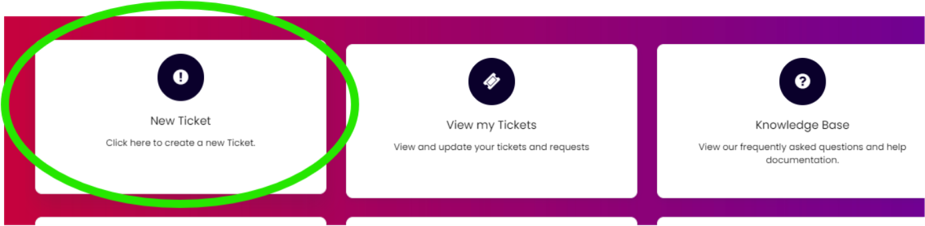
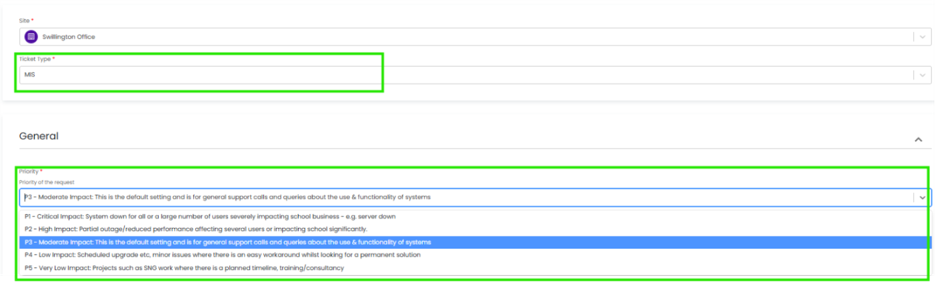
When you log a ticket via the customer portal, select the Ticket type either MIS or Technical to ensure it gets to the right team. The Priority, if you have an urgent ticket, MIS down for example please select either P1/P2 all other tickets default to P3 or even P4 if not urgent.
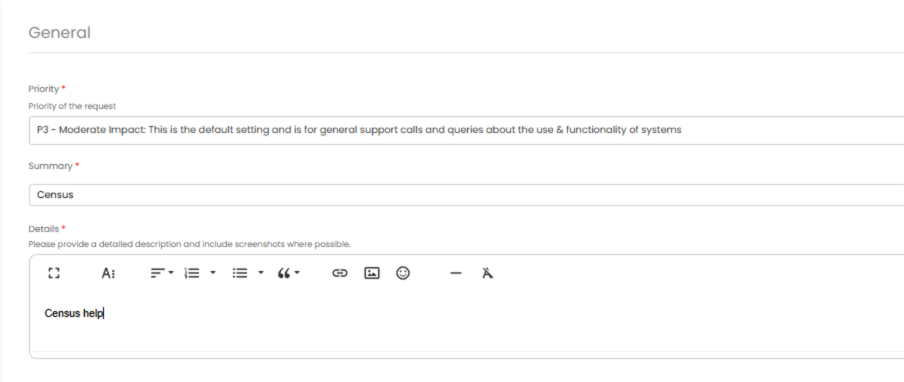
Once you enter the Subject and Details box, you will see a pop up box with suggested articles in the top right hand corner:
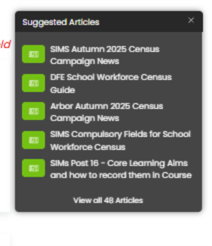
Clicking on the links in this pop-up may help you to resolve your issue without our input, so please also make use of this.
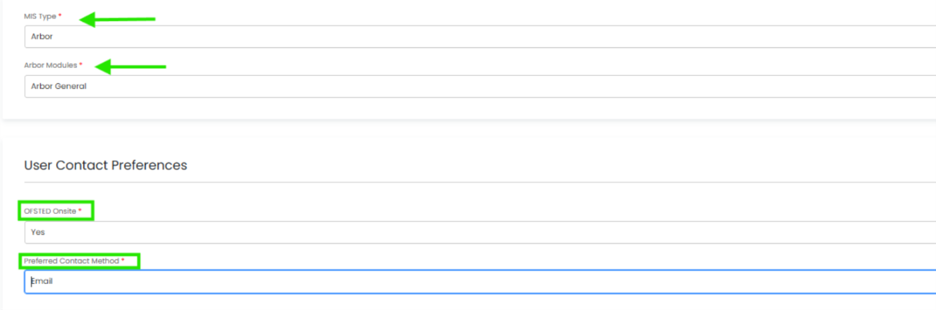
Remember to tell us which MIS and Module but also really importantly if OFSTED are onsite as this helps us prioritise your call through our OFSTED Watch service and also your preferred contact method as we know sometimes an email reply is what you need during your busy period.
We know you like to speak to us (and we like to speak to you!) but in order to offer the best service to our customers, this is often the quickest way to log a support request at busy times.
And lastly, as always, our experienced team are on hand to take your calls, so please reach out via 0345 222 6802 if the lines are busy and to save your precious time waiting you can leave a voicemail. This method will automatically generate a ticket and this means that the person who can help you best is the person who will call you back. If you do this, PLEASE leave your name, the name of the school, the best number to call back on and a brief description of why you’re ringing, as this means that the best person to help you is the one that will call back.